
If you’ve ever pressed a metal button switch and walked away with a “meh” feeling—either it felt too mushy, too clunky, or like there was no clear “click” to confirm your input—you know how much tactile feedback matters. For my team at the metal button switch supplier I represent, this isn’t just a minor design flaw; it’s a make-or-break detail for clients in industrial automation, consumer appliances, marine equipment, and other sectors where reliability and user confidence are non-negotiable. After years of troubleshooting, testing hundreds of prototypes, and refining our products, I want to pull back the curtain on how we improve the tactile feedback of our metal button switches, and how these lessons can work for you whether you’re a specifier, engineer, or end user.

First, let’s get clear on what tactile feedback actually means in this context. It’s not just “feeling a button press”—it’s a sequence of physical cues: the slight resistance of the unactuated switch, the sharp, distinct click at the actuation point that tells you the input has registered, the consistent travel distance between unactuated and fully pressed, and the subtle rebound when you release. Poor feedback leads to user frustration (think: repeatedly pressing a switch because you’re not sure if it worked), higher error rates in industrial settings, and even premature equipment failure if operators apply unnecessary force. So, how do we tune this for metal button switches, which have unique variables compared to plastic counterparts?
One of the most impactful areas we optimize is the internal mechanical structure of the switch. Metal button switches rely on core components like the contact mechanism, spring system, and plunger design, and even tiny tweaks here can transform feedback. Let’s start with springs: the spring is what provides resistance, click force, and rebound, and we’ve learned that not all springs are created equal for tactile feel. For example, a spring with too high a constant (too stiff) will make pressing the button feel like pushing a brick, while one that’s too soft will eliminate that satisfying click and lead to mushy, unresponsive feedback.
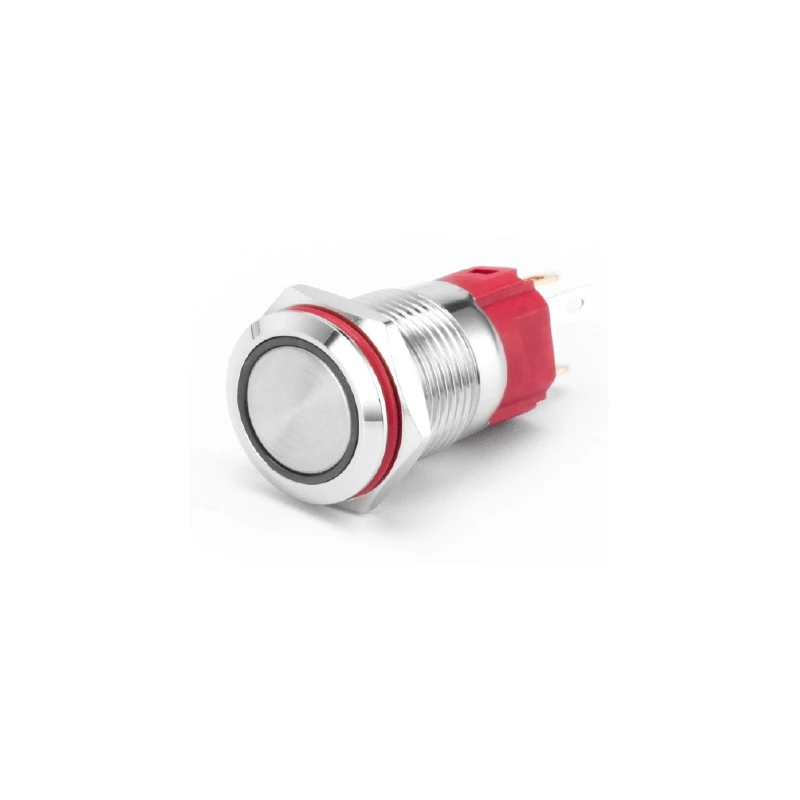
Years ago, we tested a batch of switches with generic steel springs and found that 30% of client samples reported inconsistent feedback across units—some clicked sharply, others felt dead. The issue? The heat treatment and winding precision of the springs. Now, we source custom tempered steel springs with a precision ground finish, tailored to the switch size. For our 12mm Metal Push Button Switch, we use a spring with a load of 3.5N at actuation, which we’ve found strikes the sweet spot between easy pressing for daily use and enough resistance to avoid accidental activation. For larger switches, like our 16mm and 19mm variants, we adjust the spring length and diameter to match the wider plunger surface area, so the feedback is consistent regardless of size. You can see our full range of sized switches here: 12mm Metal Push Button Switch, 16mm Metal Push Button Switch, 19mm Metal Push Button Switch.
Next, the contact mechanism is critical for that distinct click. Most metal button switches use either a snap-action contact (the most common for tactile feel) or a sliding contact, and the difference is night and day. Snap-action contacts have a pre-bent metal disk that “snaps” from one state to another at a specific force, creating that sharp, audible, and feelable click. Sliding contacts, by contrast, glide between contacts, which results in a smooth but unremarkable feel. Early on, we experimented with sliding contacts for cost savings, but client pushback on feedback was so high we reverted exclusively to snap-action designs—though we’ve refined the snap design to make it even better.
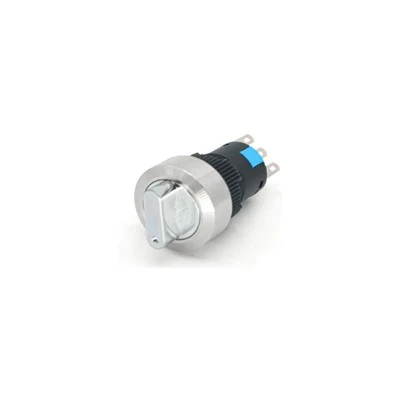
We adjust the thickness and temper of the snap disk to fine-tune the actuation point. A thinner disk snaps at a lower force, which feels lighter, while a thicker disk snaps more sharply, which is ideal for applications where accidental presses are a risk (like industrial control panels). We also add a micro-gap between the snap disk and the contact points, which ensures there’s a definitive physical shift when the switch actuates—no half-press ambiguity. For our rotary-style metal switches, which are used in applications like industrial selector controls, we’ve integrated the same snap-action principle into the detent mechanism, so rotating the selector has a clear, clicky position at each stop. You can check out our rotary selector switch line here: Rotary Selector Switch.
Beyond internal components, the outer button design and its integration with the switch housing play a huge role in tactile feedback, and this is an area that’s often overlooked. The button’s surface profile, travel distance, and fit in the housing all affect how a user feels the press. Let’s start with travel distance: for tactile feel, we’ve found that a travel of 1.2mm to 1.8mm is ideal. Too short (less than 1mm) and users don’t get enough physical feedback to confirm actuation; too long (more than 2mm) and pressing the switch feels sluggish, like you’re moving something heavy. We tune this travel by adjusting the length of the plunger that connects the button to the internal snap and spring, so it’s consistent across all our switch lines.
The button’s surface also matters. We offer a range of surface finishes—from matte stainless steel to polished brass—but for tactile feel, a slightly textured (but not rough) surface is best. A textured button gives your finger a subtle grip, so you can feel exactly where to press, even in low-light or high-vibration environments. We also shape the button’s top to have a slight convex curve, which helps distribute pressure evenly, so the feedback is consistent whether you press it with the tip of your finger or the pad. If the button is flat, pressing it off-center can create uneven resistance, leading to inconsistent feedback. That’s why we test every batch of buttons on a force gauge at multiple points across the surface to ensure the actuation force varies by no more than 0.2N—an extremely tight tolerance that makes a big difference in user experience.
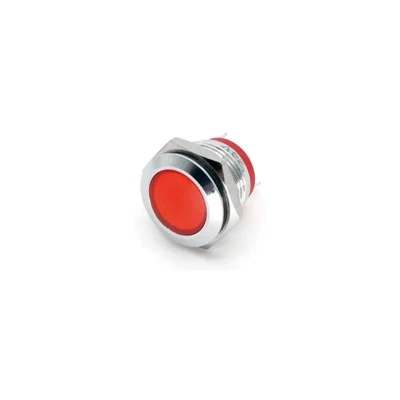
Another key factor, especially for clients in harsh environments like marine, outdoor lighting, or heavy machinery, is sealing. Waterproof Metal Indicator Light and metal button switches often need IP67 or IP69K ratings, which require rubber or silicone seals between the button, housing, and internal components. The mistake many manufacturers make is using a too-tight seal, which creates extra friction between the button and housing, adding unwanted resistance and making the press feel stiff. Or, a seal that’s too loose, which leads to wobbly buttons with inconsistent feedback. For our switches, we use custom-shaped EPDM seals with a slight, uniform compressibility—enough to keep water and dust out, but not so much that they add noticeable drag. We test this by cycling each switch 10,000 times in a humidity chamber, checking for seal integrity and consistent feedback every time. You can explore our waterproof indicator line here: Waterproof Metal Indicator Light.
Then there’s testing—lots of testing. At our facility, we don’t just build switches and ship them; we put every prototype through rigorous testing to validate tactile feedback, because what looks good on paper doesn’t always feel right to a user. We use force-travel testers that measure force in real time as a button is pressed, creating a graph of force vs. travel that shows us exactly where the actuation click happens. A good graph has a sharp, distinct spike (or drop) at the actuation point, with minimal deviation. We also conduct human factor testing, asking a panel of 50 users (representing our core industries: industrial, automotive, consumer) to press samples and rate them on “satisfaction with click,” “ease of pressing,” and “consistency of feedback.” If more than 10% of users report a switch feels mushy, we go back to the drawing board.
For example, a few years back, a client in the agricultural equipment space came to us with a problem: their existing metal buttons would get clogged with dust and mud during harvest, leading to inconsistent feedback. The dust was getting between the button and housing, adding friction, so pressing the button required more force and lost its click. We solved this by redesigning the seal to have a secondary lip that repels debris, and adjusting the spring to compensate for the slight extra drag. The result was a switch that maintained its tactile feedback even after 500 presses in a dust chamber—something the client’s old switches couldn’t do.
It’s also important to remember that tactile feedback isn’t one-size-fits-all. A switch for a consumer appliance like a coffee maker needs to feel light and easy to press, while a switch for a heavy-duty construction vehicle needs to feel sturdy and require more force to avoid accidental presses. For that reason, we offer customizable options: clients can choose spring tension, button travel, and even snap force to match their specific use case. We worked with a home appliance manufacturer last year to develop a switch for their oven control panel that felt soft enough for daily use but had a distinct click to prevent accidental changes to temperature settings—something that would have been impossible with a generic off-the-shelf switch.
If you’re evaluating metal button switches for your application, the best way to improve tactile feedback is to start by defining what you need. Ask yourself: Where will this switch be used? Will it be in a dusty, wet environment? Is accidental activation a risk? What kind of force do users expect? Once you have those answers, partnering with a supplier that understands the mechanical nuances of metal switch design (not just the surface aesthetics) is key. At our company, we don’t just sell switches—we collaborate with clients to test prototypes, adjust components, and refine the design until the feedback feels exactly right.
For more information on our metal button switches, including our rotary selectors and sized push buttons, or to discuss a custom project, feel free to reach out to our sales team to start a conversation. We’re always happy to walk you through our testing process, show you sample switches, and help you find the right tactile fit for your needs.
References
- ISO 9241-110:2020, Ergonomics of human-system interaction - Part 110: Dialogue principles
- VDI 3820:2018, Human factors in control elements for industrial machinery
- "Tactile Feedback in User Interfaces: A Review" - Journal of Mechanical Design, 2021, Vol. 143, No. 10
- IP Test Standard IEC 60529:2017, Degrees of protection provided by enclosures (IP Code)
- "Mechanical Design of Snap-Action Switches" - IEEE Transactions on Components, Packaging, and Manufacturing Technology, 2019, Vol. 9, No. 7